ProfsToolKit
Complete JavaScript Course Pack 2026
Complete JavaScript Course Pack 2026
Couldn't load pickup availability
The Complete JavaScript Course Pack gives you everything needed to deliver a full JavaScript unit — from the first syntax lesson to a final capstone project. Built by a professor, tested in a real classroom.
What's Included
15 SCORM Lab Packs
One interactive SCORM 1.2 package per lab. Upload the .zip directly into your LMS (Canvas, Blackboard, Moodle, D2L Brightspace, or any SCORM-compatible platform). Each lab pairs teaching slides with a built-in multiple-choice knowledge check. The knowledge check is scored automatically, and the LMS records each student's completion status and quiz score — so the concept checks land in your gradebook without manual marking. Students' hands-on coding is assessed separately through the included assignments and rubric.
- Lab 01 — JavaScript Syntax & Variables
- Lab 02 — Control Flow & Conditionals
- Lab 03 — Loops
- Lab 04 — Arrays & Array Methods
- Lab 05 — Functions, Scope & Closures
- Lab 06 — ES Modules
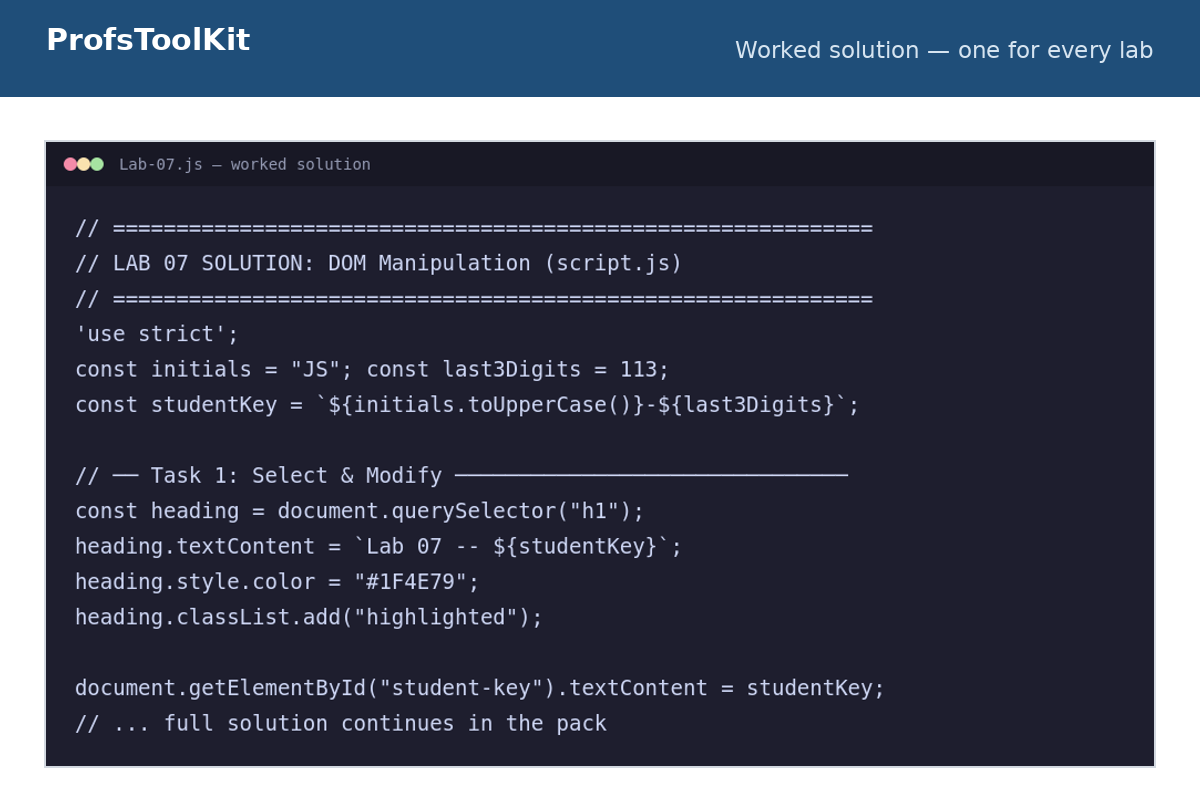
- Lab 07 — DOM Manipulation
- Lab 08 — Events & Interactivity
- Lab 09 — Async & Fetch
- Lab 10 — Classes & OOP
- Lab 11 — Form Validation
- Lab 12 — Local Storage & JSON
- Lab 13 — Debugging & Refactoring
- Lab 14 — OOP Shopping Cart
- Lab 15 — Mini Capstone: Grade Tracker
15 Lab Handouts (PDF)
A matching student-facing handout for every lab. Distribute as-is or post alongside the SCORM activity in your LMS. Clear instructions, objectives, and submission guidance included.
4 Graded Assignments + Capstone Project (.docx)
Assignments are sequenced across the 15 labs so students apply and extend what they've learned:
- Assignment 1 — Grade Tracker (covers Labs 1–5)
- Assignment 2 — Campus Explorer (covers Labs 6–10)
- Assignment 3 — Form Validation & Local Storage (covers Labs 11–12)
- Assignment 4 — Debugging & OOP Shopping Cart (covers Labs 13–14)
- Capstone Project — Full JavaScript Portfolio (all 15 labs, 100 marks)
All assignment documents are editable .docx files — add your course header, due dates, and post.
Grading Rubric & Instructor Notes (PDF)
A single rubric covers all four assignments with clear point breakdowns. The Instructor Notes PDF walks through each lab's learning objectives, common student mistakes, and grading tips.
About SCORM
SCORM (Sharable Content Object Reference Model) is the industry standard for e-learning content. A SCORM package is a self-contained .zip file you upload once to your LMS. Once uploaded:
- Students launch it directly inside your course — no external links or separate accounts
- The LMS records completion status, knowledge-check score, and time-on-task automatically
- Works identically on Canvas, Blackboard, Moodle, D2L, and any other SCORM-compliant platform
- Reusable every semester — upload once, run every term
Licensed for single-instructor classroom use. Questions? Email support@profstoolkit.com
Share